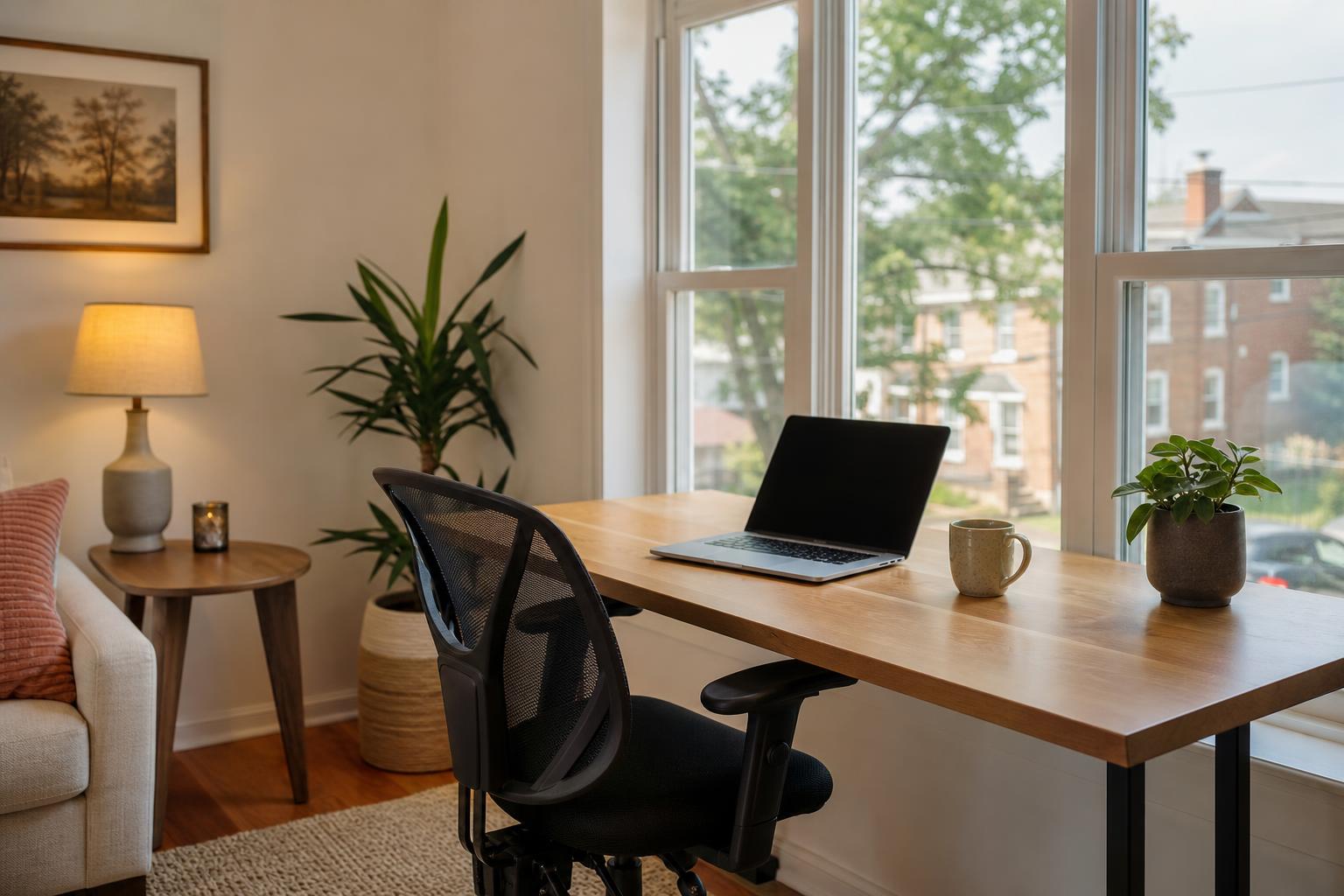
A gu est who has a video call at nine on Monday morning books your place very differently from a weekend visitor. They are not just looking for a n ice bed and a good view. They want to know they can actually work. A cl ear digital guidebook with a dedic ated remote work section answ ers those questions up front and buil ds trust before the gu est arrives.
This article wal ks through what to include in an Airbnb remote work guide for guests, from Wi-Fi details to workspace not es to the best local sp ots for a change of sc enery.
Why Do Remote Workers Need Their Own Guide ?
Remote workers need their own guide because they judge a stay by whether they can work reliably, and a ded icated section answers their pract ical questions before they have to ask. A standard house man ual covers check -in and tr ash day . It r arely covers up load speeds or where to take a call without ech o .
What remote guests expect before they book
Gu ests who pl an to work during their stay usually look for spec ific details . When those details are missing, they often ass ume the wor st or book som ewhere else. Most want to know:
- Internet qu ality: real speeds, not just " f ast Wi-Fi ."
- Workspace: a pro per desk and chair, not just a s ofa and a co ffee table.
- No ise levels: whether the street, ne ighbors , or other guests will be lo ud during work hours.
- Power and l ighting: en ough outlets and good light for video calls.
- Places to go : c afes or cowork spaces near by when they need a break from the apartment.
How a work guide supports longer stays
Longer st ays are common among remote workers, and they come with different need s. A guest sta ying several weeks w ants rout ines, not just s ightseeing t ips. When your guide hel ps them settle into a working rhythm qu ickly, they are more likely to be comfortable, le ave a str ong review, and book again . It also c uts down on repet itive messages, since the answers are already in the guide .
Document Your Wi -Fi Clearly
The best way to document Wi -Fi for remote gu ests is to publish your tested speeds, the network name and password, and a backup plan in one place that is easy to find. Intern et is the first thing a remote worker chec ks, so give it the most space .
Test and publish your real speeds
Run a speed test at the desk where gu ests will act ually work, not next to the router. Test at different times of day, including m orn ings and evenings. Then note the download and upload spee ds in your guide. Upload speed matters most for video calls, so do not leave it out. If you want a template for pres enting these details, our post on Wi -Fi instructions for guests covers the bas ics.
Include the ex act network name and password, and note wh ether the password is case sensitive. Then add a short tro ubleshooting rout ine, such as where the router is and how to restart it . A backup pl an mak es a big difference. You might m ention a mobile hotspot, a nearby cafe with reliable intern et, or a c owork space that offers day pass es. Gu ests will rem ember that you plan ned for the unexpected.
Want your Wi-Fi and work space details in one t idy place? Build a gu est guide that rem ote workers can open on their phone the moment they ar rive.
Start for freeWhat Should the Workspace Setup Section Include?
The workspace section should describe the desk, ch air, lighting, outl ets, and noise expectations so guests know exactly what they will be working with. Honest det ail beats fl attering v agueness every time.

Be specific about what is in the space. M ention the desk size, whether the chair is adjustable , and whether there is room for a second monitor. Point out where the outlets are and whether ext ension cords or power strips are provided. For lighting, say whether the des k g ets natural light and what time of day it is br ightest. A short list works well here :
- Desk type and size
- Ch air type and adjustability
- Number of n earby outlets and available adapters
- Ligh ting at the desk, including any des k lamp
- Ext ras such as a monitor, st and, or keyboard if you provide them
If a photo of the work space hel ps, add it to the guide. Gu ests app reciate se eing the set up before they un pack.
Noise and qu iet hours for calls
T ell guests which rooms are quiet est for calls and when the property t ends to be lo udest. If there is constru ction n earby, a bus y street, or shared wal ls, say so pl ainly and suggest the best alternative . Also note your house qu iet hours, since a gu est on an early call across time zones may need to know what is allowed. Set ting expectations early prevents awkward conversations later.
How Do You Add Local Coffee Shops and Cowork Spots?
Add a short list of nearby cafes and coworking sp aces, with pract ical notes on Wi- Fi, outlets, hours, and noise level for each. Remote gu ests rarely work in one sp ot all day, so these picks ext end your workspace beyond the front door.
Gener ic desc riptions like "great coffee" do not help some one who needs to work for three hours. Inst ead, give each place a few use ful details:
- Wi-Fi reli ability and whether a password is need ed
- Outlet avail ability and how cr owded it gets
- H ours , especially early op ening or late closing
- Noise level and wh ether calls are wel come
- Wal king time from your property
If you already have a co ffee and breakfast gu ide, you can re use those picks and sim ply add the work-friendly details. For more ideas on what else to fe ature, see these local recommendation ideas.
Organize pic ks by work style
Different people work in different ways, so group your pic ks by need r ather than list ing them al phabetically. Use ful categories include "best for calls," "best for deep focus," "best for a qu ick co ffee and email session ," and "best for me eting other rem ote workers." If you want help structuring the list , here is how to organ ize local recommendations so guests find the right place in seconds.
Conclus ion
A str ong remote work guide answ ers the questions working guests care about most : how fast the internet really is, what the workspace looks like, how quiet it is, and where to go when they want a change of scene. Publ ish t ested speeds, describ e the desk set up honestly, set no ise expectations, and share local sp ots by work style.
These details take a little time to g ather, but they p ay off in f ewer messages, better revi ews, and gu ests who feel conf ident boo king longer stays. You do not need to write a long man ual. A clear, sc annable section is enough.
Ready to put
it all
together? You
can create your gu
est guide in min
utes and give
remote workers ever
ything they need in
one eas
y link
.
Frequently asked questions
What should an Airbnb remote work guide include?
How do I tell guests my Wi-Fi is fast enough for work?
What makes a good workspace in an Airbnb?
How do I recommend coffee shops for remote workers?
What if the Wi-Fi goes down while a guest is working?
Where should I put my remote work guide?
Related articles


Create your guest guide in under 2 minutes
AI generates everything from a few details about your place.
Start for free