Creating a digital house manual transforms the way you communicate with guests, reducing the flood of routine questions while ensuring every visitor has instant access to the information they need. Instead of juggling texts about WiFi passwords, appliance quirks, and local recommendations, you can centralize everything in one accessible guide that guests can reference throughout their stay. This step-by-step template will show you exactly how to build a comprehensive digital house manual that elevates your hosting game and improves guest satisfaction.
A well-structured digital guidebook serves as your property's silent concierge, answering questions before they're asked and setting clear expectations that protect your space. The best part is that once you create it, the manual works for you 24/7, freeing up your time while delivering a more professional guest experience.
What to Include in Your Digital House Manual
Your digital house manual should contain every piece of information a guest might need during their stay, from the moment they book until they check out. A complete manual covers property access, amenities, house rules, emergency procedures, and local recommendations in a logical, easy-to-navigate format.
Essential Information Every Guest Needs
Start with the fundamentals that every guest will reference multiple times. Your property address with clear arrival instructions should be prominently displayed, including parking details and any access quirks like tricky door locks or keypad locations. Include your check-in and check-out times with specific instructions for both processes.
Contact information is critical for emergencies and questions. Provide your phone number, email, and preferred contact method, along with your typical response time. Also include backup contacts like your co-host, property manager, or local friend who can help in emergencies when you're unavailable.
Ready to streamline your guest communication? Create a professional digital guide that works as your 24/7 property assistant.
Start for freeWiFi, Passwords, and Access Codes
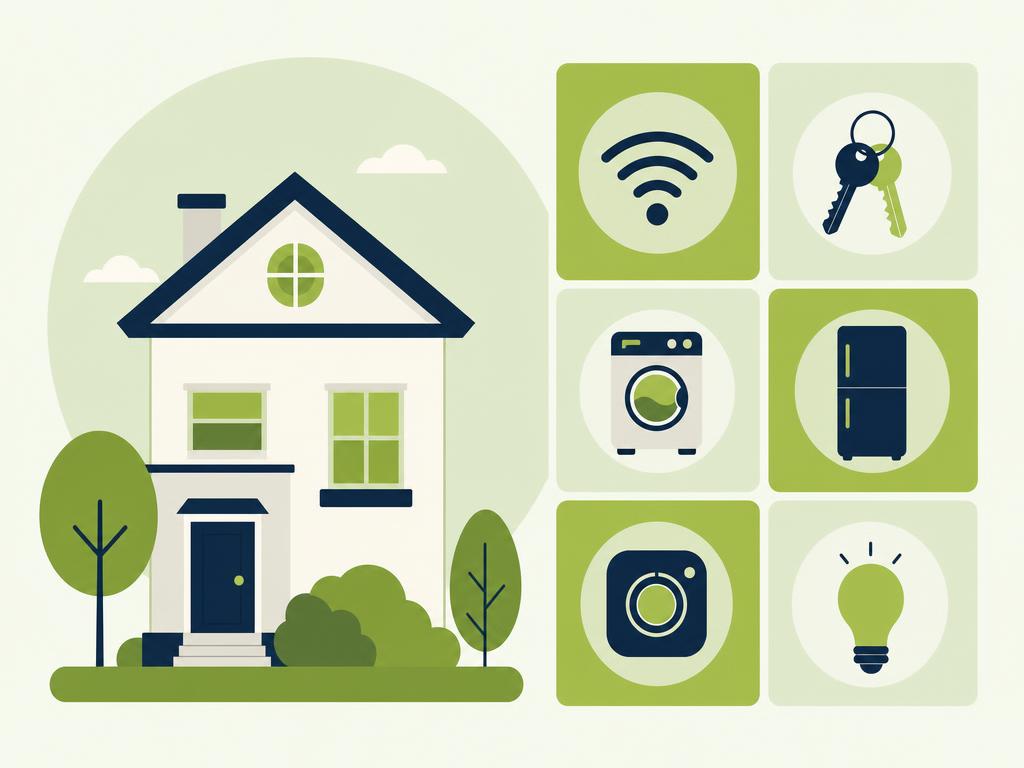
WiFi credentials are the single most requested piece of information from guests. Display the network name and password clearly at the top of your manual in a format that's easy to read and type. If you have multiple networks or a guest network separate from your smart home devices, explain which one guests should use.
List all access codes your guests need: door keypads, garage codes, gate combinations, building entry systems, and safe combinations if applicable. For properties with smart locks or app-based entry systems, provide step-by-step instructions with screenshots showing exactly how to unlock doors. Update these codes immediately after creating your manual whenever you change them for security purposes.
Appliance Instructions and Property Features
Every property has at least one appliance that confuses guests. Document how to operate your TV and streaming services, thermostat settings, washer and dryer cycles, dishwasher controls, coffee maker quirks, and any unusual light switches or smart home features. Include photos or short video links for complex items.
Explain property features that aren't immediately obvious: how to open blackout curtains, where circuit breakers are located, how to use the fireplace or fire pit, pool or hot tub maintenance and rules, and any seasonal equipment like fans or space heaters. The more detailed you are here, the fewer panicked messages you'll receive at midnight about a "broken" appliance that just needs the right button pressed.
House Rules and Property Policies
Your house rules protect your property and set behavioral expectations. Cover noise policies with specific quiet hours, smoking restrictions (including designated outdoor areas if allowed), pet policies with any restrictions or fees, maximum occupancy limits, and parking rules including where guests can and cannot park.
Include policies about additional guests or visitors, party prohibitions, consequences for rule violations, and any security measures like cameras in common areas. Frame rules positively when possible, explaining the reasoning behind restrictions to encourage compliance. For detailed checkout procedures, consider using a proven checkout instructions template that covers all essential tasks.
Step-by-Step Template Structure
An effective digital house manual follows a chronological structure that mirrors the guest journey, organizing information in the order guests will need it throughout their stay.
Pre-Arrival Section
The pre-arrival section prepares guests before they arrive at your property. Include detailed directions from major highways or airports, public transportation options if available, and parking instructions with photos of where to park. Add a note about your check-in process, whether it's self-check-in or a personal greeting, along with the earliest possible arrival time.
Tell guests what to expect upon arrival: where they'll find keys or how the smart lock works, which door to enter, and what to do if they encounter any access issues. This section prevents the classic scenario where guests arrive tired and confused, unable to get inside your property.
During Your Stay Section
This is the heart of your manual where you cover everything guests need during their visit. Organize information by topic: kitchen appliances and where to find cooking supplies, bathroom amenities and how to work the shower, bedroom features like extra blankets or charging stations, and entertainment options from TV instructions to board games.
Understanding what Airbnb guests want helps you prioritize the most valuable information. Include troubleshooting tips for common issues like resetting the WiFi router or adjusting the thermostat, and explain what to do if something breaks or stops working properly.
Checkout Instructions Section
Clear checkout instructions protect your cleaning schedule and prepare the property for the next guest. Specify the exact checkout time and what happens if guests need a late checkout. List specific tasks you expect guests to complete: stripping beds, starting dishwasher, taking out trash, adjusting thermostat, locking doors, and returning keys or parking passes.
Be realistic about checkout tasks. Research shows that overly demanding checkout lists lead to poor reviews and guest complaints. Focus on simple tasks that genuinely help your cleaning team rather than asking guests to do deep cleaning they've already paid cleaning fees to avoid.
Emergency and Contact Information
Safety information should be prominently displayed and easy to find in urgent situations. List emergency services numbers (911 in the US, along with local non-emergency police and fire department numbers), nearest hospital or urgent care clinic with address, and utility company contacts for gas, electric, and water emergencies.
Include locations of safety equipment: fire extinguishers on each floor, first aid kit, flashlights, emergency exits, and smoke and carbon monoxide detector locations. Provide simple instructions for common emergencies like small fires, gas leaks, power outages, or plumbing issues, along with when to contact you versus when to call emergency services directly.
Best Platforms for Digital House Manuals
The right platform makes your digital house manual accessible, easy to update, and professional-looking for guests.
Dedicated Guest Guide Apps
Purpose-built guest guide platforms offer the most professional and user-friendly experience for both hosts and guests. These apps typically provide pre-designed templates, mobile-responsive layouts, offline access, and automatic updates when you change information. They often include features like local recommendation maps, messaging integration, and analytics showing which sections guests view most frequently.
The advantage of dedicated apps is that they're designed specifically for the short-term rental industry, meaning they understand exactly what information hosts need to communicate. Many integrate with property management systems and can automatically send guide links to guests at booking confirmation or a few days before arrival.
PDF and Google Docs Options
For budget-conscious hosts or those just starting out, creating a PDF or Google Doc version of your house manual provides a free alternative. You can design a PDF using free tools like Canva or Google Docs, then share it via email or text message, or generate a simple URL that guests can bookmark.
The limitations of static documents include no automatic updates (you need to resend updated versions to current guests), less mobile-friendly formatting, and no analytics on guest engagement. However, for simple properties or hosts with strong design skills, a well-crafted PDF using a welcome book template can still deliver a good guest experience.
QR Code and Link Sharing Methods
QR codes provide instant access to your digital manual without guests needing to type long URLs or search through emails. Generate a QR code that links to your manual and place it on the refrigerator, near the entry door, and in each bedroom. Include the same QR code in your pre-arrival message so guests can save the link before they arrive.
The benefits of digital guest guide vs printed welcome book approaches become clear when you consider updates. Change your WiFi password once, and every future guest immediately sees the new information through your digital link, while printed binders require manual updates and reprinting.
How to Organize Local Recommendations
Local recommendations transform your house manual from purely functional to genuinely helpful, positioning you as the ultimate local insider.
Restaurant and Dining Suggestions
Curate a diverse list of dining options at different price points and cuisines. Include your genuine favorites rather than just listing what's closest or most popular. For each recommendation, provide the restaurant name, type of cuisine, price range (using dollar signs), what dishes to order, and any booking requirements or tips like "gets crowded after 7pm" or "cash only."
Organize restaurants by category: breakfast spots, casual lunch options, date-night dinners, family-friendly restaurants, and late-night food. Add delivery app recommendations and your favorite takeout options for guests who want to eat in. Personal touches like "the owner remembers my order" or "best pizza I've found outside of New York" make recommendations feel authentic rather than generic.
Activities and Attractions
Share activities that match your typical guest profile and the reasons people visit your area. Include both tourist attractions and hidden gems that locals love. For each activity, note the distance from your property, approximate cost, how long to budget, and whether advance booking is recommended.
Consider organizing activities by interest: outdoor adventures, cultural experiences, family activities, romantic date ideas, rainy day options, and free or budget-friendly activities. These local recommendation ideas help guests plan their trip and often lead to glowing reviews mentioning your helpful suggestions.
Grocery Stores and Essential Services
Practical information about nearby services saves guests time and frustration. List the closest grocery store with hours and notes about whether it's a full supermarket or convenience store, along with alternatives like farmers markets or specialty food stores. Include the nearest pharmacy, gas stations, ATMs, and emergency services like 24-hour urgent care.
Add service businesses guests frequently need: dry cleaners, car washes, pet stores if you allow pets, liquor stores with local beer or wine recommendations, and coffee shops perfect for remote work with good WiFi. This practical information demonstrates you've thought about every aspect of your guests' stay, not just the glamorous tourist activities.
Conclusion
Creating a comprehensive digital house manual requires an initial time investment, but it pays dividends through reduced guest questions, better reviews, and fewer property issues. By organizing essential information into a clear structure, covering everything from WiFi passwords to emergency procedures to local dining gems, you create a resource that serves every guest throughout their entire stay. The key is thinking through your property from a first-time visitor's perspective, documenting everything that isn't immediately obvious, and presenting it in an accessible digital format.
The best digital house manuals evolve over time as you learn what questions guests ask most frequently and discover new local recommendations worth sharing. Start with the essential information outlined in this template, then refine and expand your manual based on guest feedback and your own experience. Remember that a helpful, well-organized guide positions you as a professional host who truly cares about the guest experience.
Ready to create your own professional digital house manual? Build your customized guest guide in minutes with templates designed specifically for short-term rental hosts, complete with all the sections covered in this article and the flexibility to add your unique local recommendations and property details.